
Why Should Fashion Designers Use AI to Edit Their Designs?
Instead of navigating technical software or manual workflows, designers describe what they want to change and the tool handles the rest. In seconds.
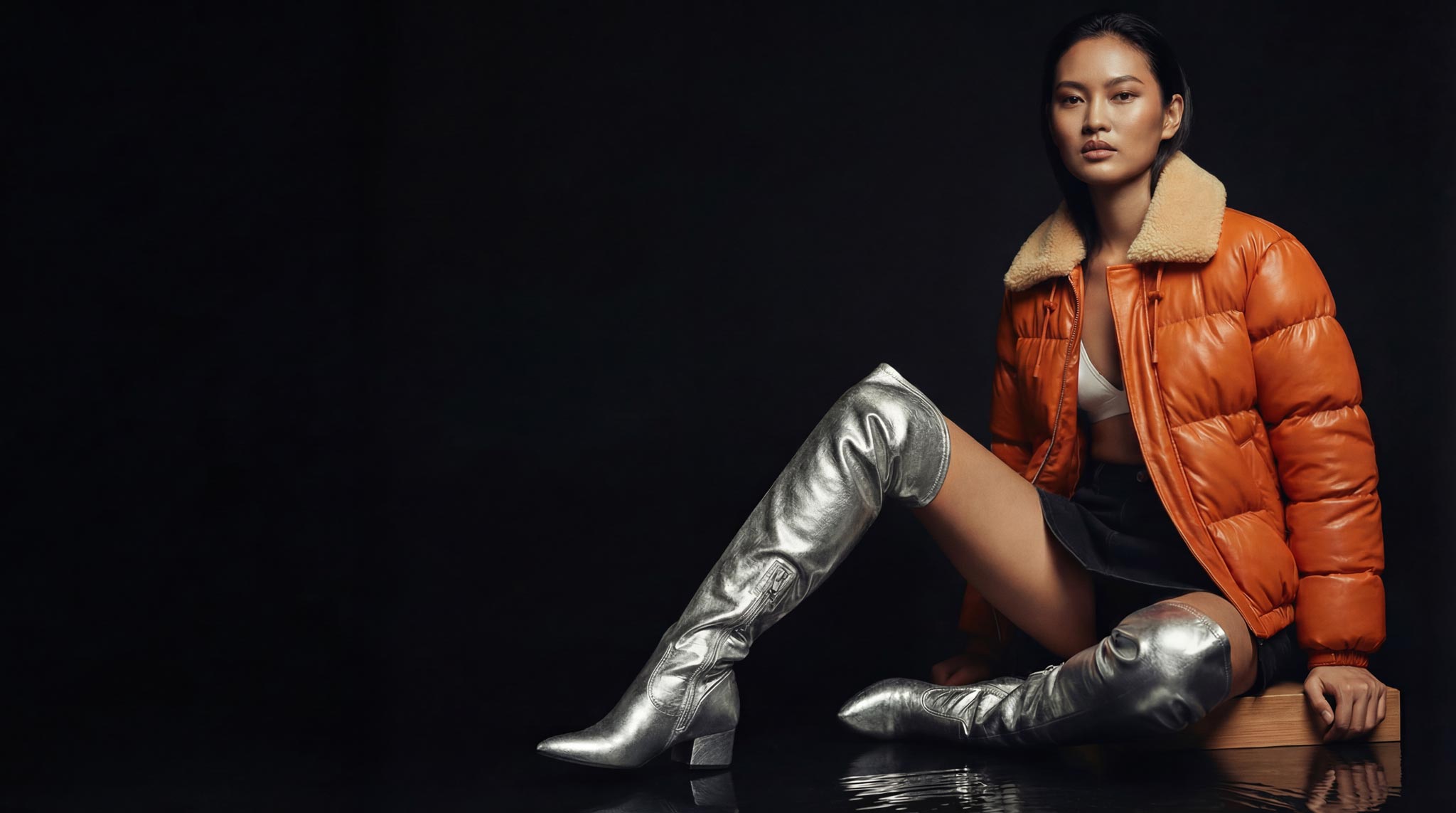
1. Iterate Faster Without Starting Over
Design refinement is constant: changing colors, adjusting proportions, swapping fabrics, refining details.
Make precise changes instantly
Test variations without rebuilding designs
Explore multiple options side by side
Why it matters: Faster iteration leads to better creative decisions and stronger final designs.
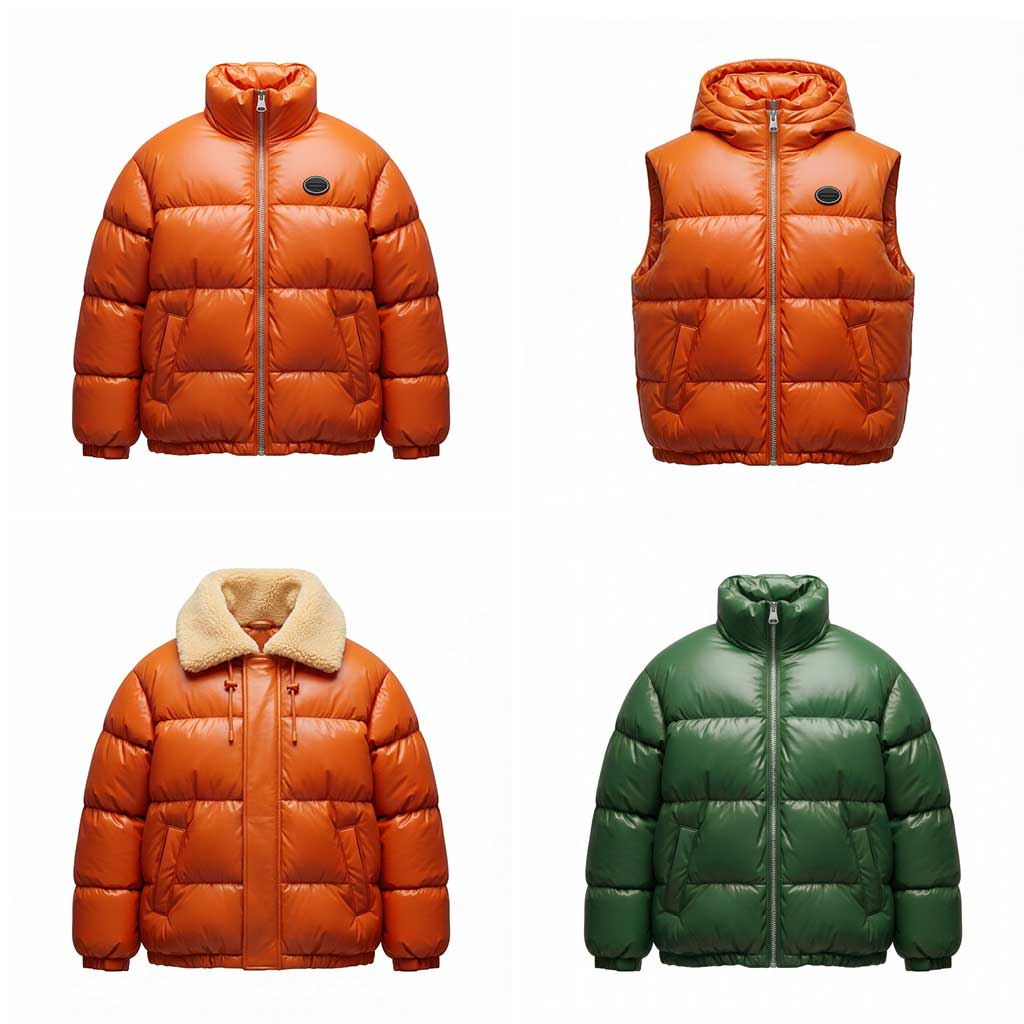
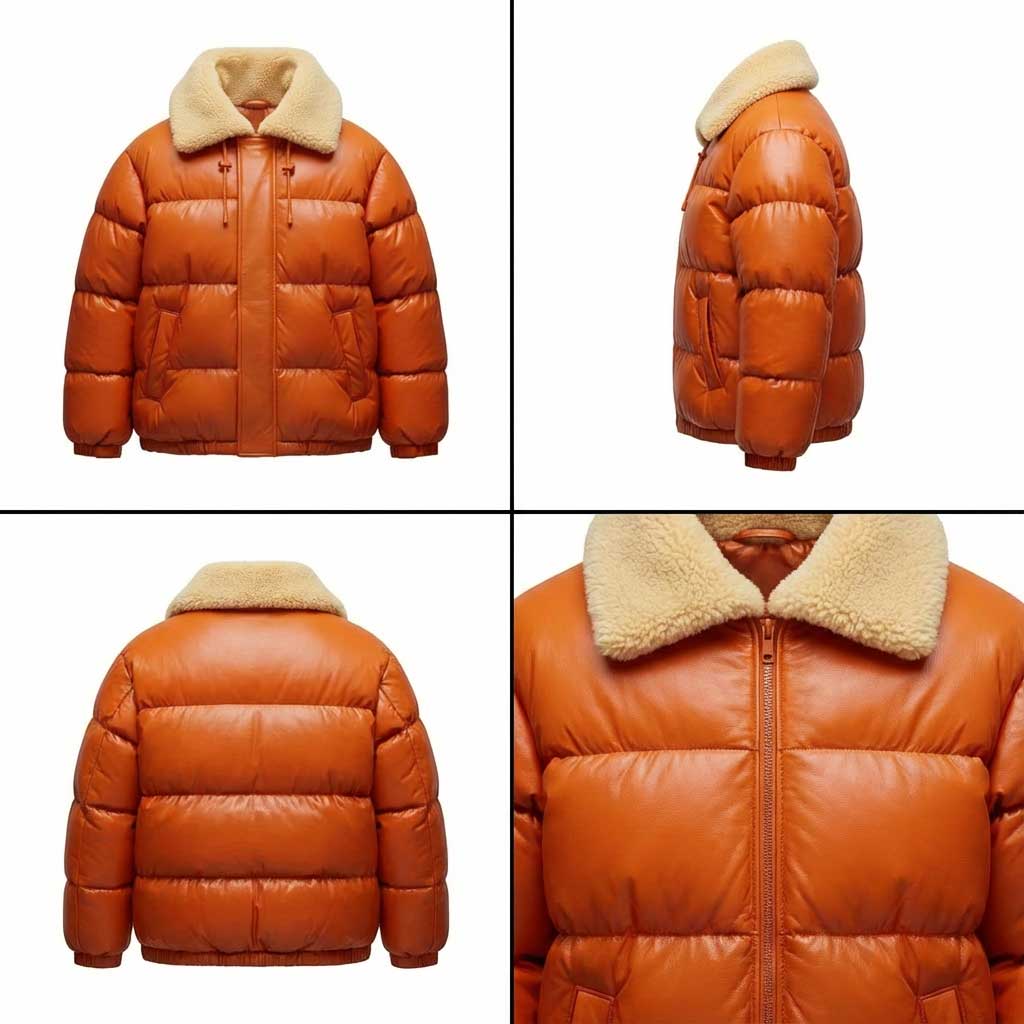
2. Create Assets That Work Everywhere
Design edits are needed across design, marketing, and presentation contexts.
Adapt visuals for lookbooks, line sheets, and campaigns
Reframe assets for different platforms
Repurpose designs without extra work
Why it matters: One design supports multiple outputs and use cases.
3. Refine Colors, Fabrics, and Drape. Instantly.
Adjusting colorways, materials, and drape is central to fashion design and traditionally one of the most time-consuming steps. The Edit Tool makes these changes instant, visual, and risk-free.
Apply colorways accurate instantly
Visualize drape and movement with realism
Adjust fabrics and styling on demand
Why it matters: This allows designers to make confident decisions earlier.
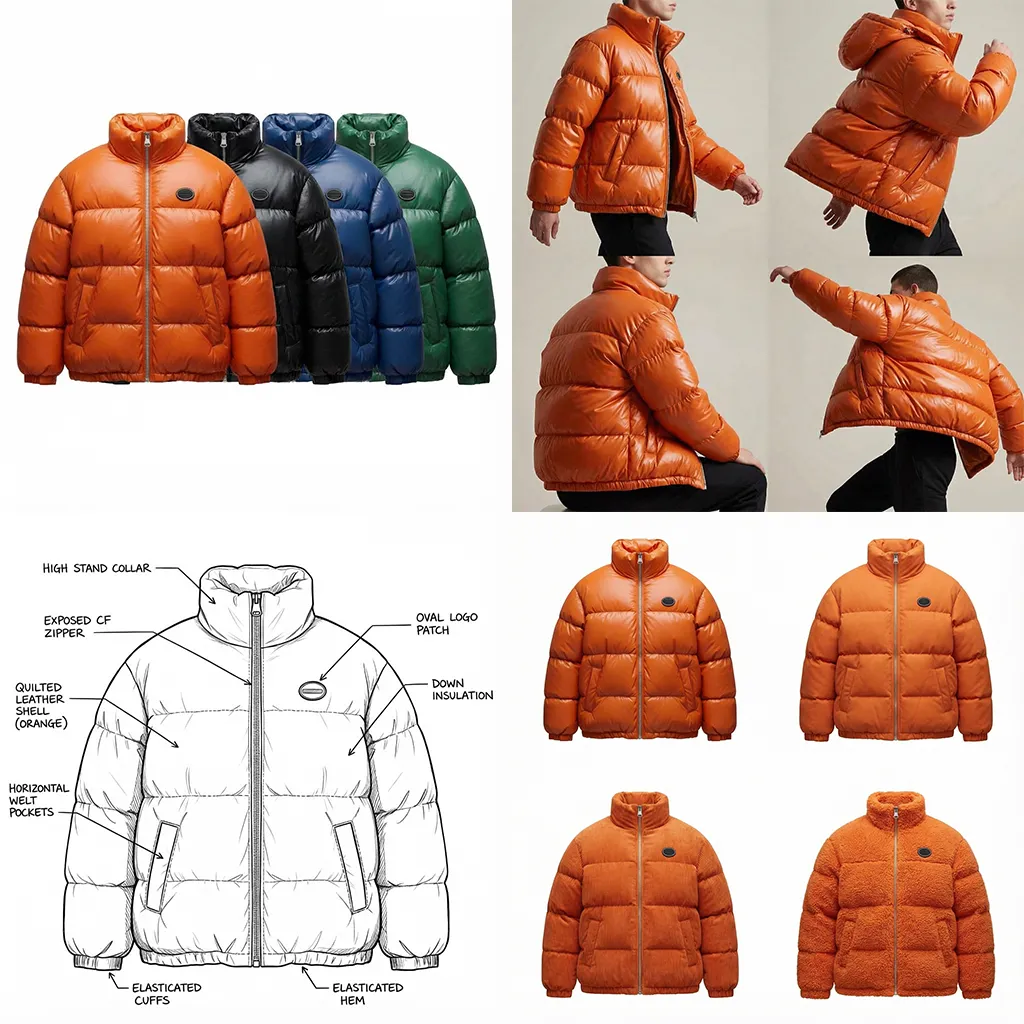
Examples of Edits
View here some of the biggest use cases done in seconds using The Fabricant Intelligent Tools - Edit Tool
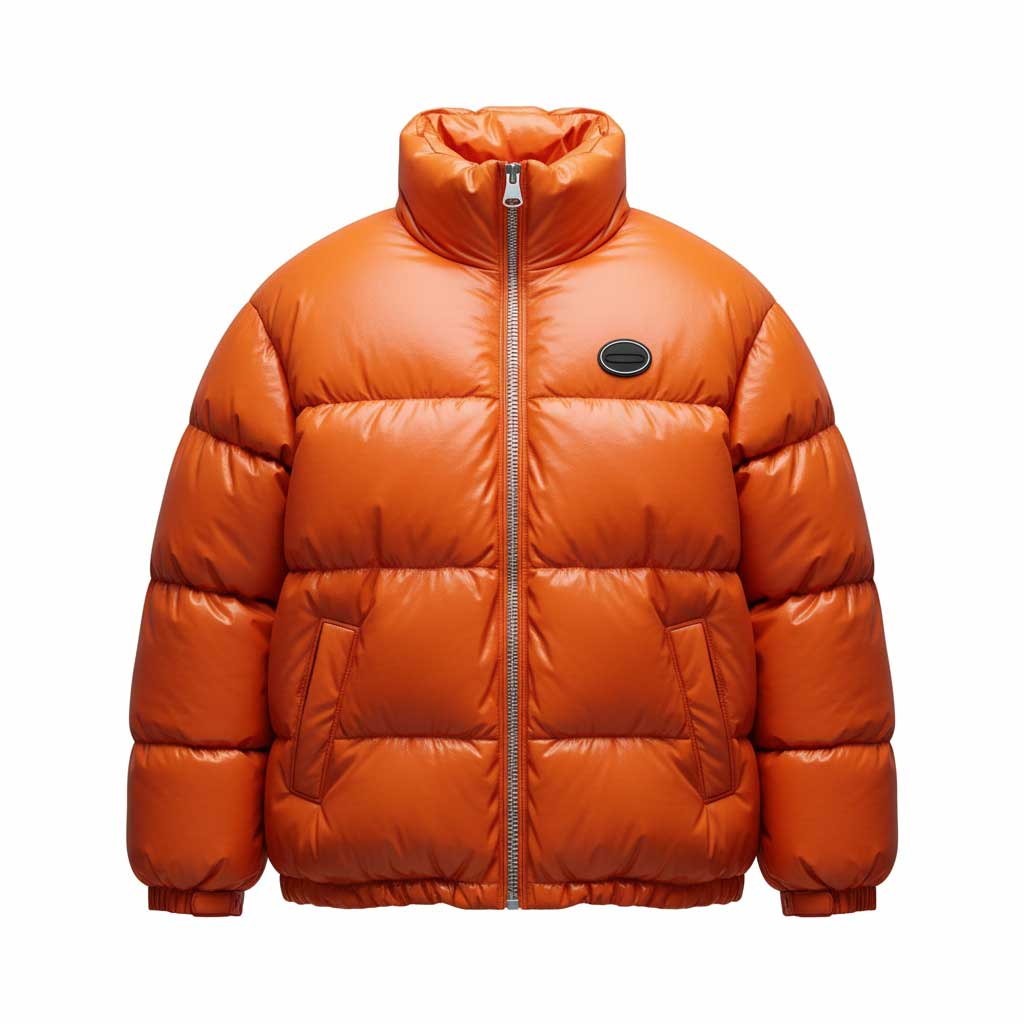
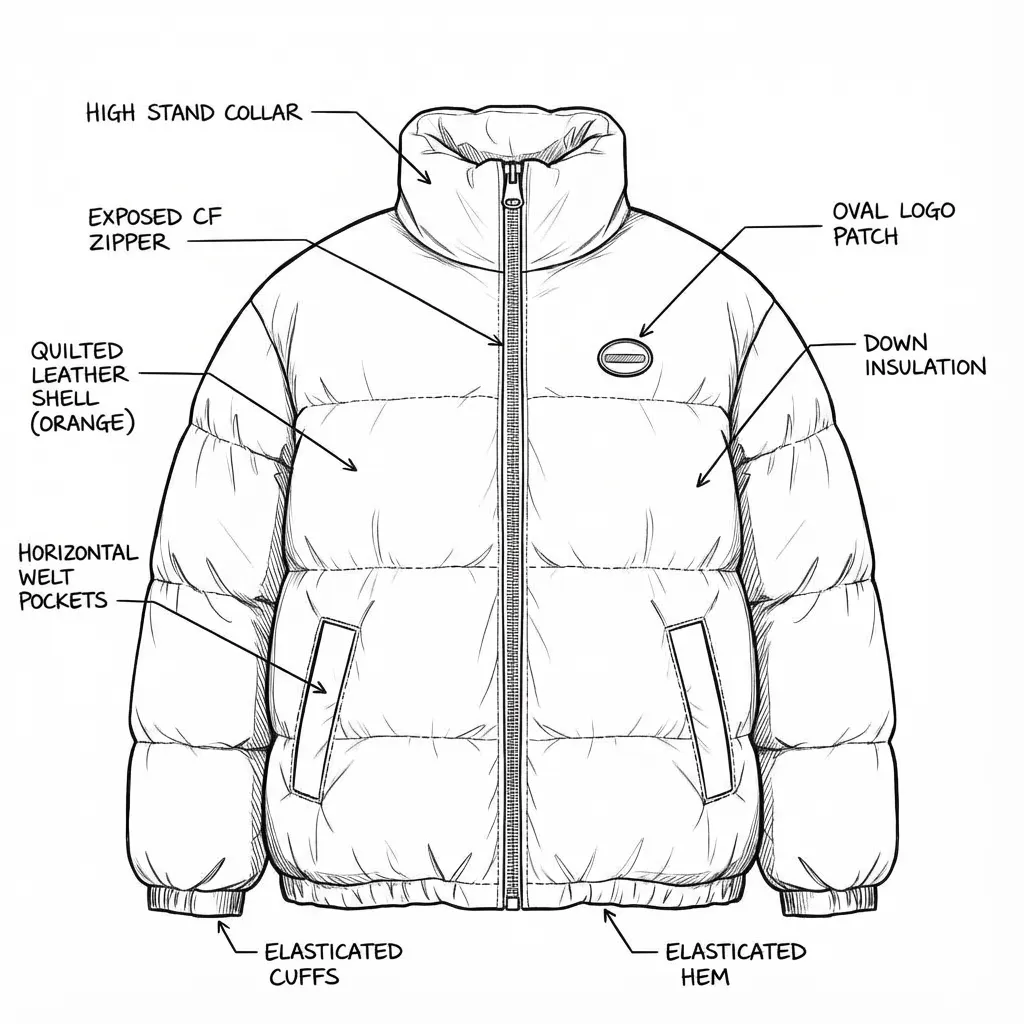
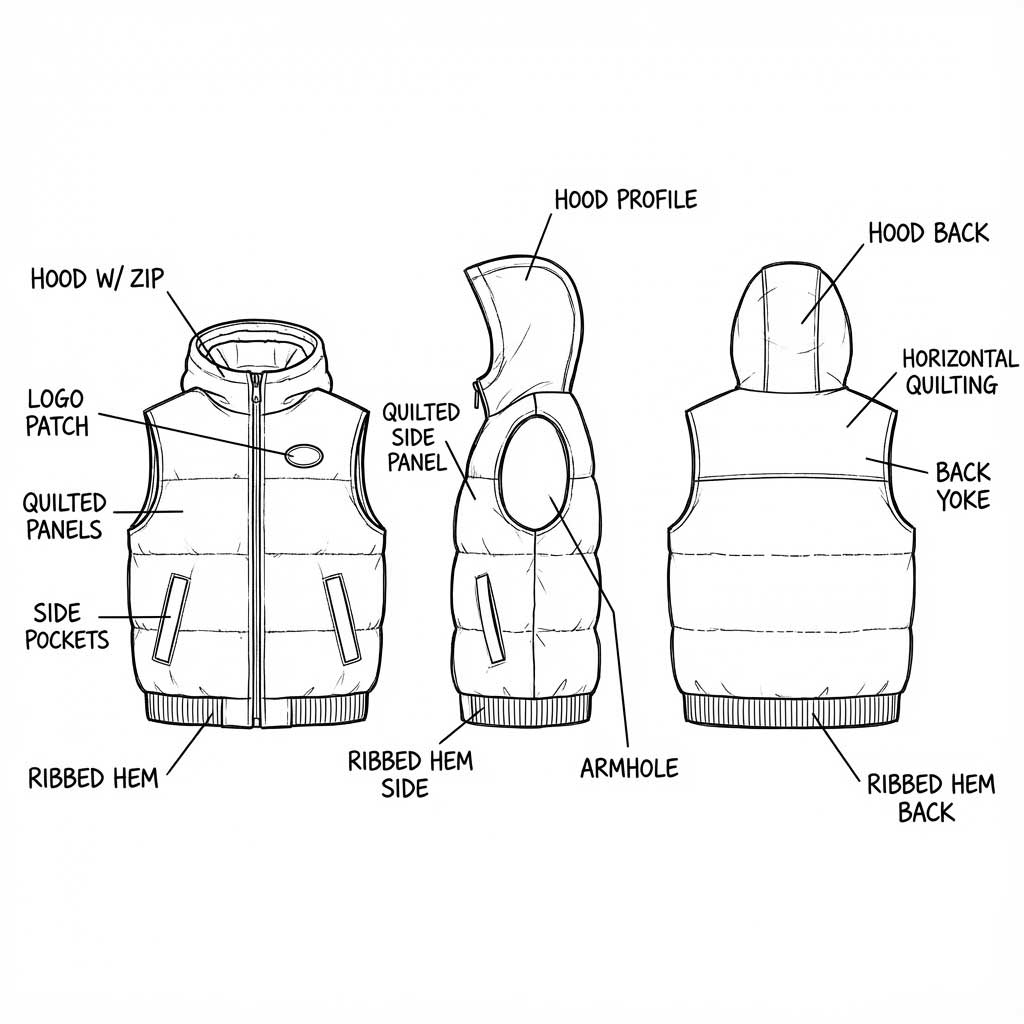
Prompt: Make a technical sketch with annotations
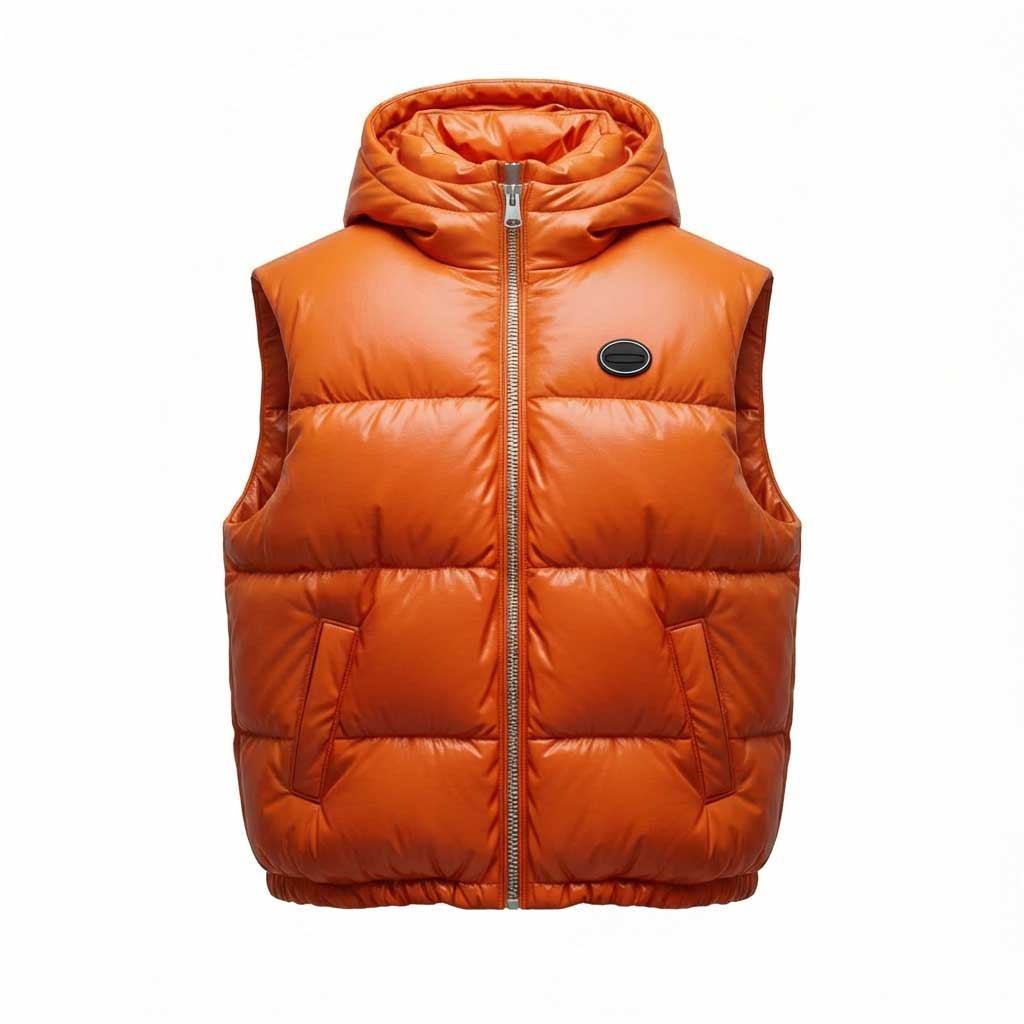
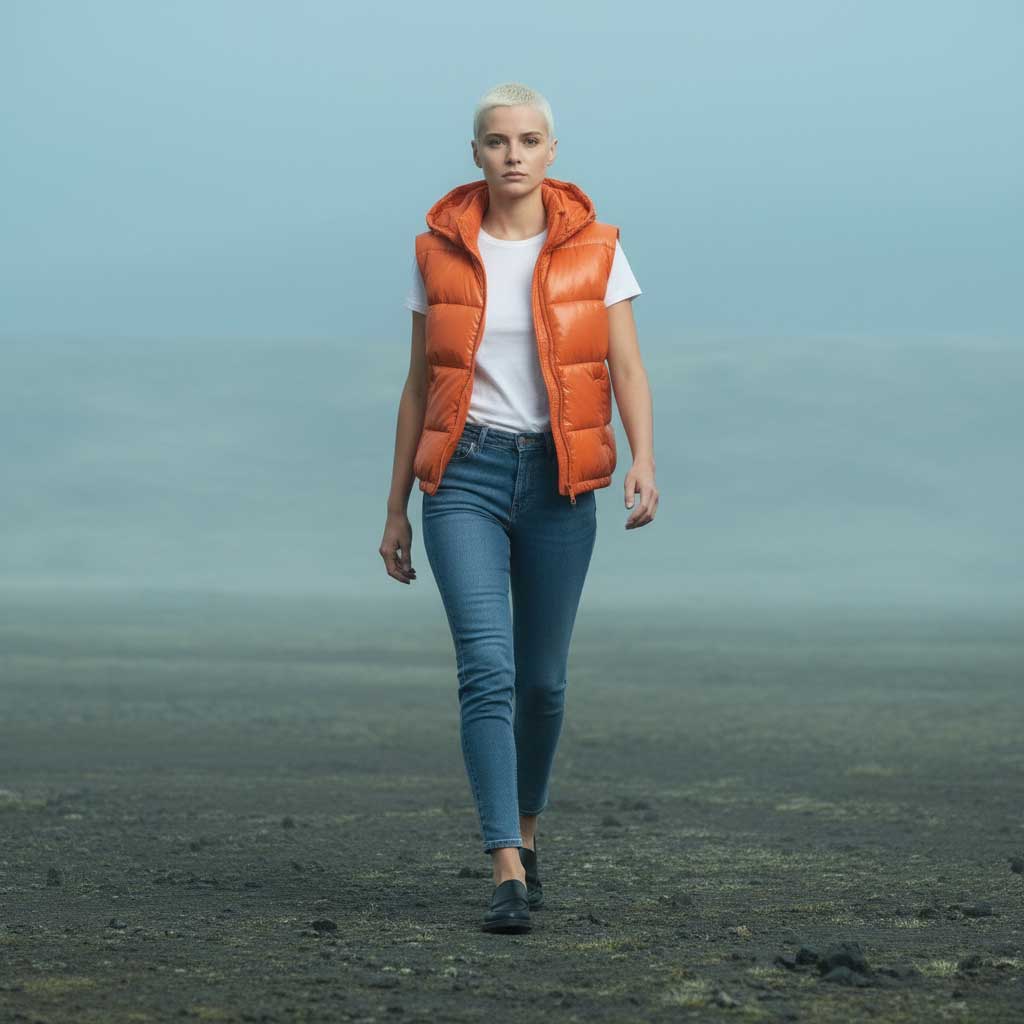
Prompt: Remove sleeves and add hoodie
Prompt: 4-colorways slightly overlapping each other
.webp)
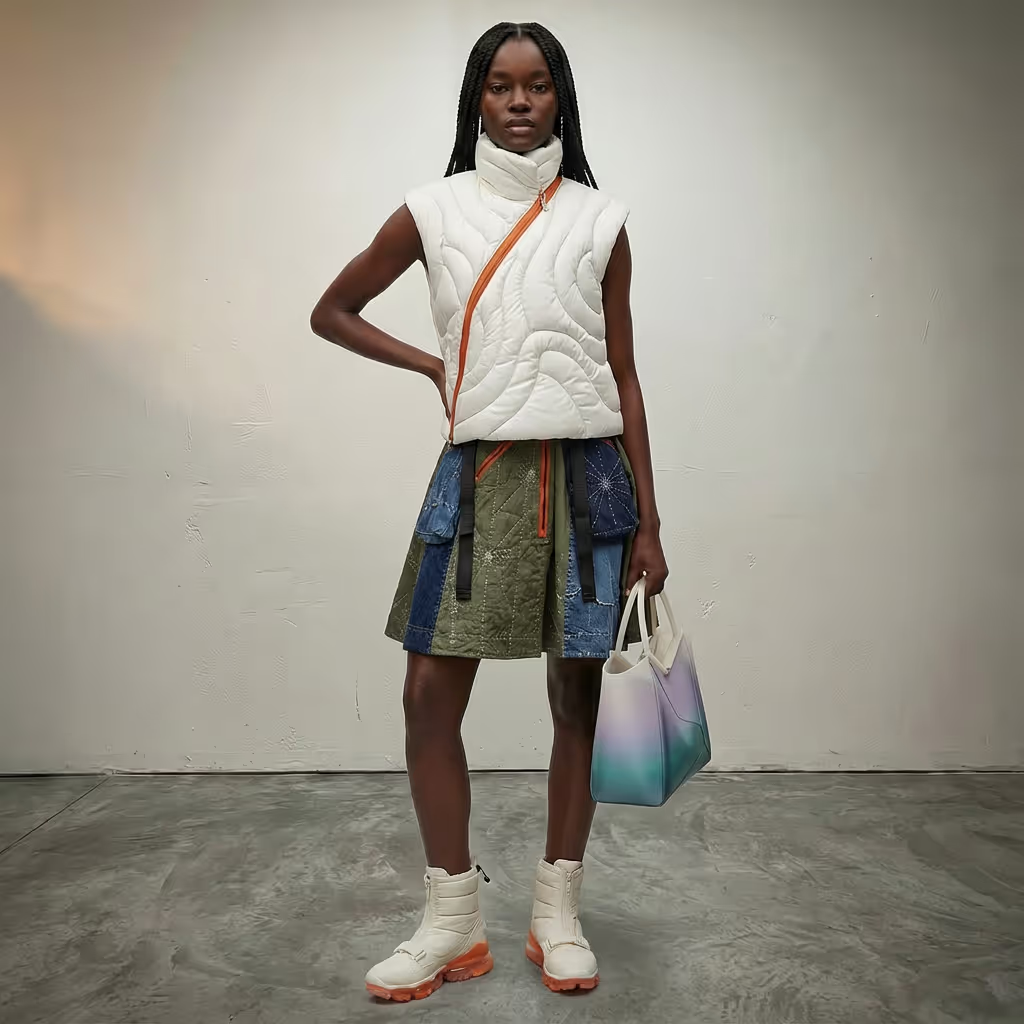
Prompt: Lengthen dress by 10cm down to the kneecaps
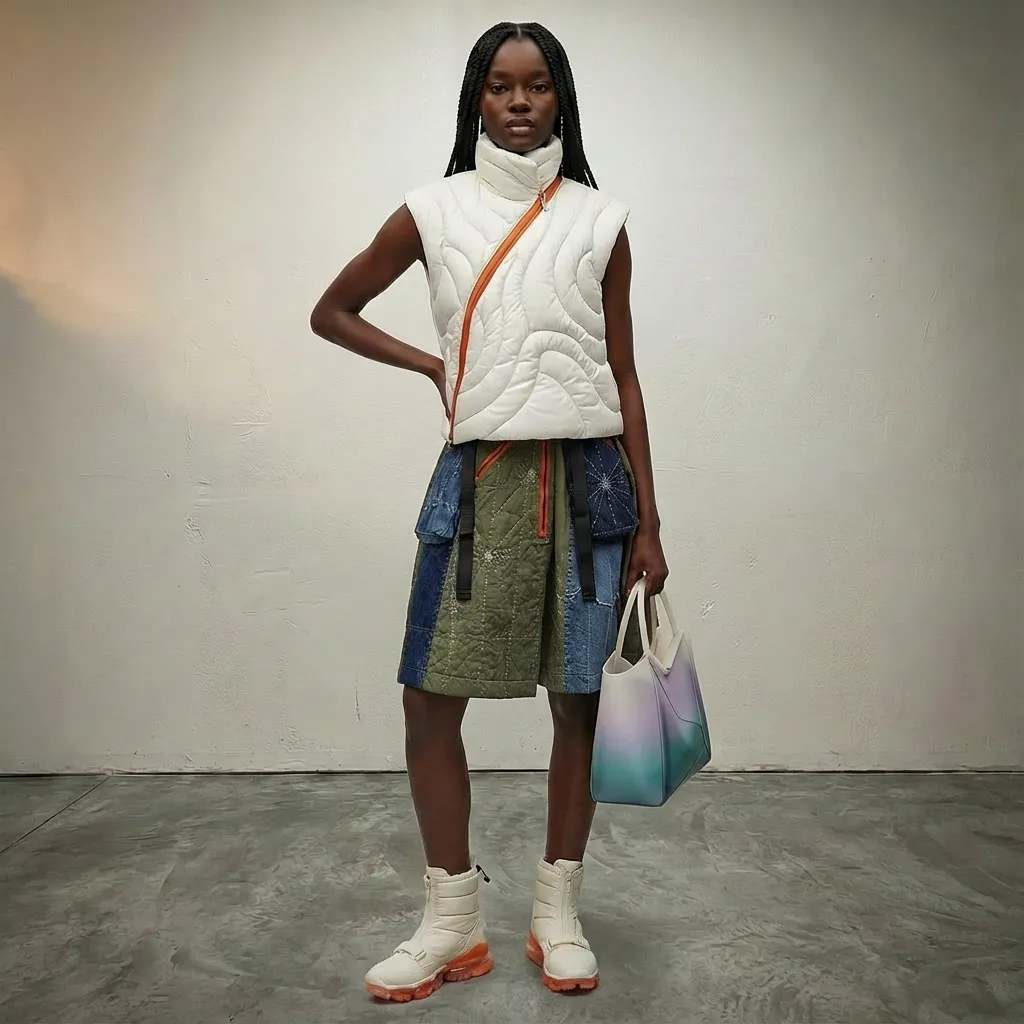
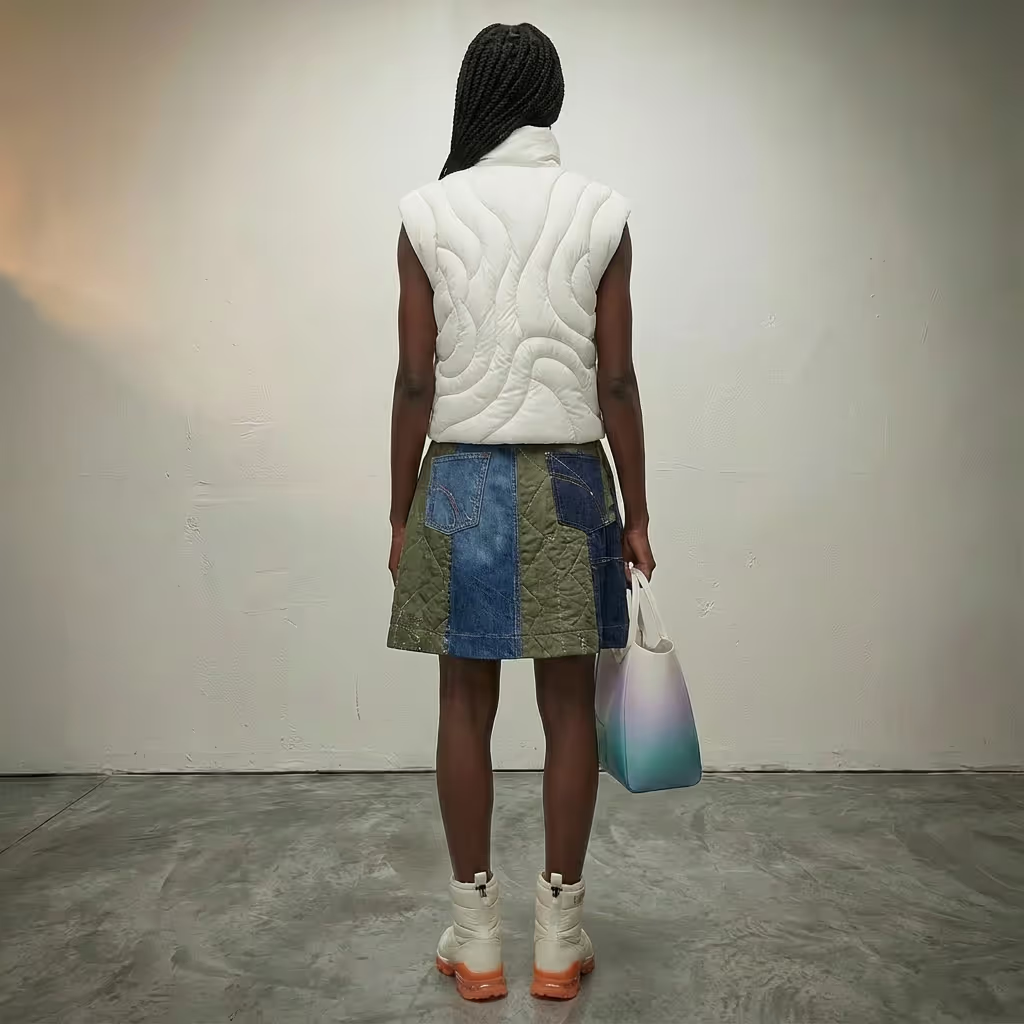
Prompt: Show backside
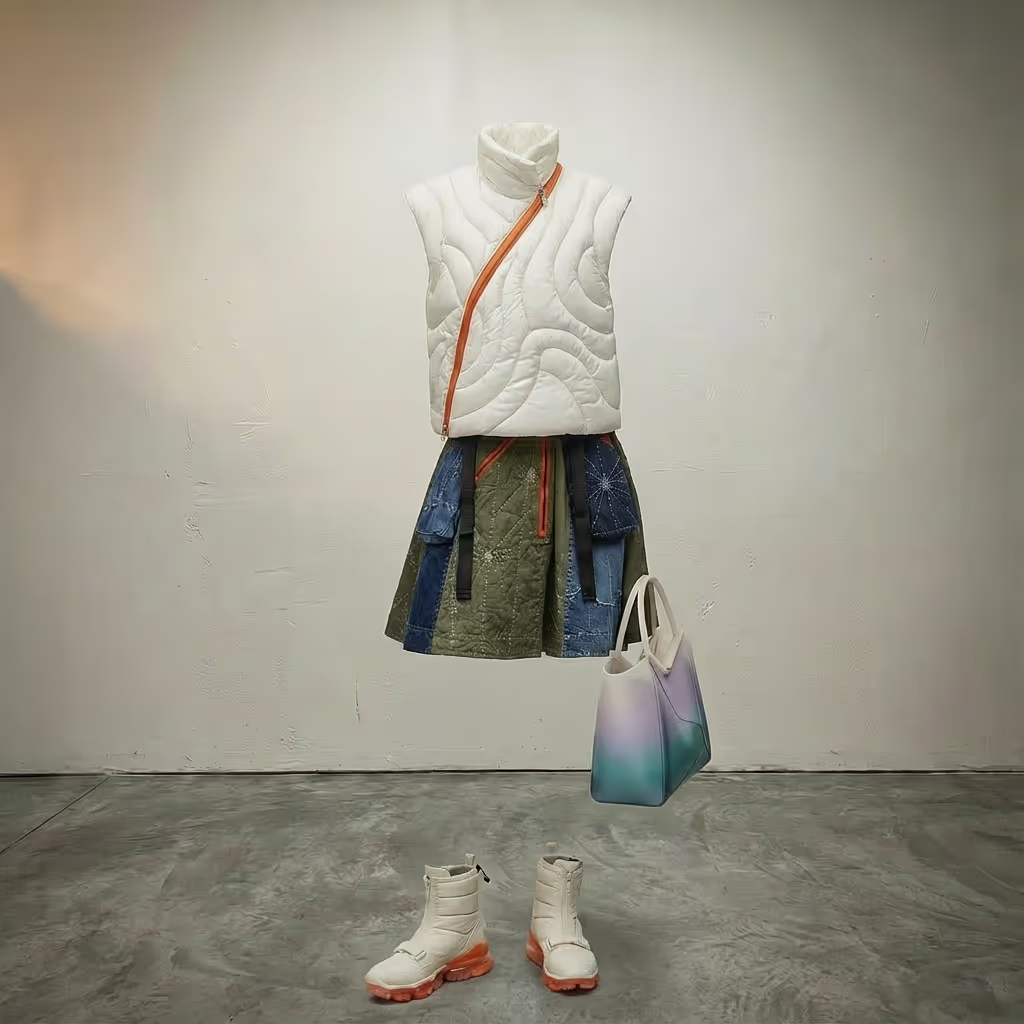
Prompt: Remove model
Prompt: Extract vest. Make a packshot
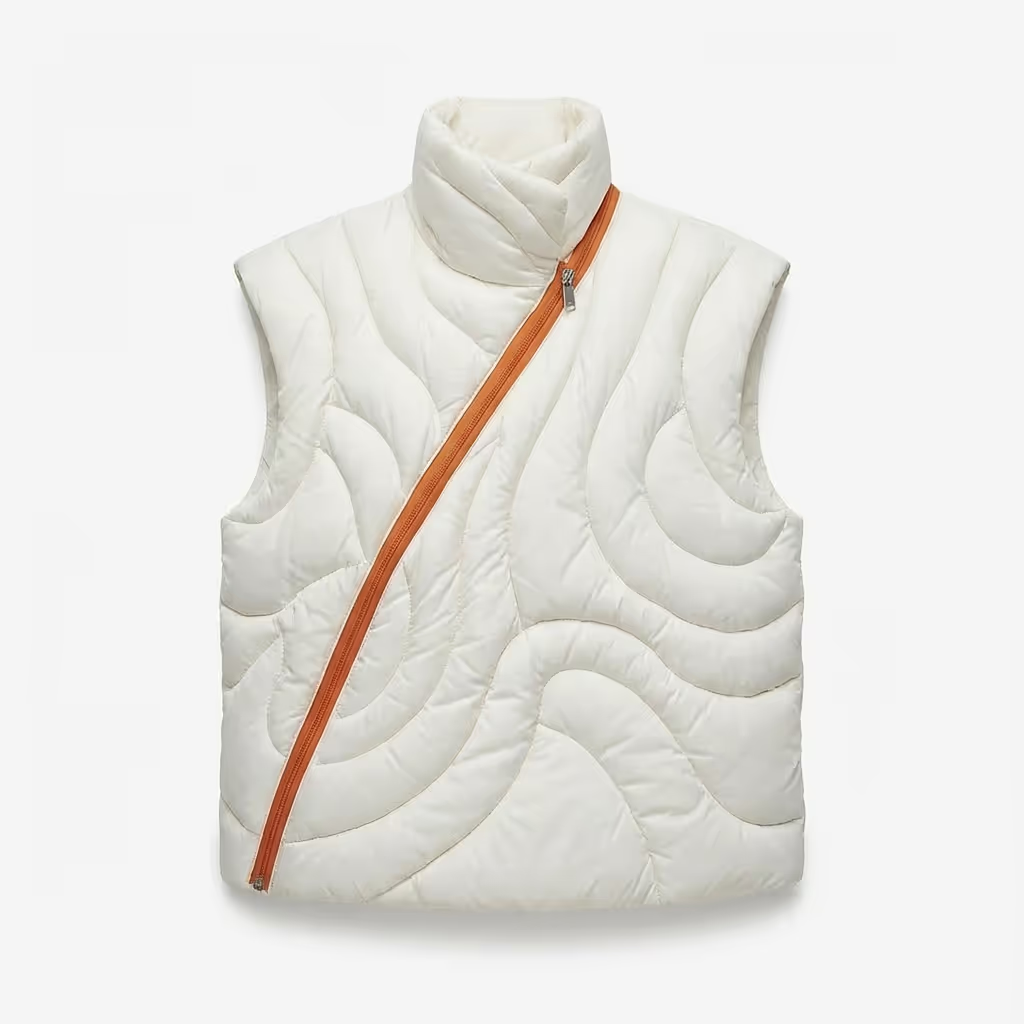

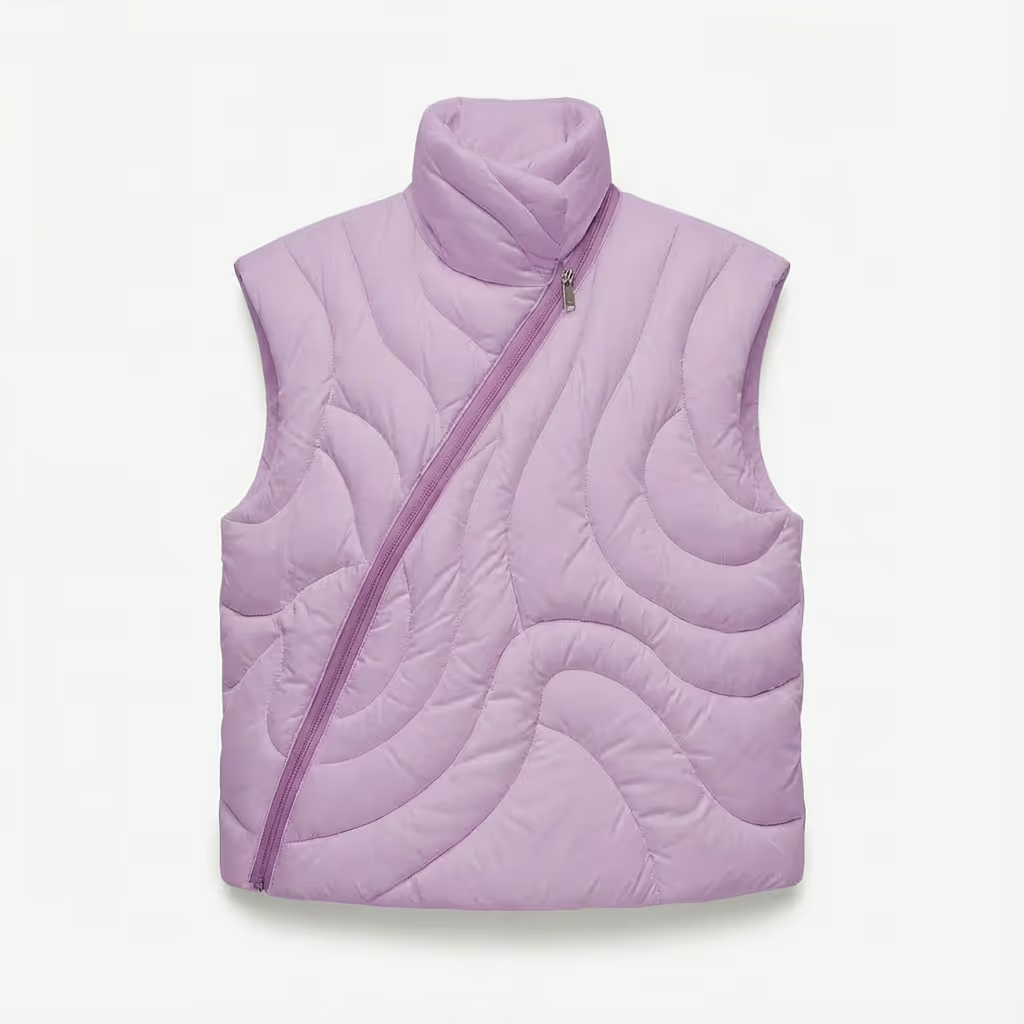
Prompt: change vest to reference color. Make zipper tonal
Complex Creative Tasks, Made Simple
Fashion design is inherently complex. From materials and fit to lighting, environments, and endless iterations. Our AI tools take that complexity behind the scenes and turn it into simple, intuitive actions.
Edit Tool FAQs
Here are some common questions about our Edit Tool
Absolutely. The Edit Tool operates with surgical intent meaning you can isolate a single construction detail, like a notched lapel, welt pocket, or princess seam, and modify it independently without disrupting the surrounding silhouette or fabrication. Unlike reworking a tech pack from scratch or restarting a flat in Illustrator, the tool reads your design holistically and applies changes only where you direct them. This is particularly valuable mid-collection when a directional edit- say, converting a box pleat to a knife pleat on a culottes style — needs to ripple through colorways without touching the base construction.
The Edit Tool collapses the traditional design-development feedback cycle from weeks into minutes. When a patternmaker or product developer flags that a sleeve head is too high or a hemline reads too casual for the intended market positioning, you can respond with a real visual, not a written annotation or a redline on a flat and share it instantly. Rather than waiting for a physical toile or a corrected 3D file, you generate an accurate visual resolution on demand. This keeps the creative conversation sharp and ensures the design intent isn't lost in translation between departments.
Yes — and this is where the Edit Tool genuinely accelerates seasonal planning. You can prompt for a multi-colorway composite (for example, "show four colorways slightly overlapping") and receive a presentation-ready image in seconds. This replaces the manual process of duplicating Illustrator artboards, flooding fills, and re-exporting per colorway. For buyers' meetings or line review presentations, this means arriving with a fully realised colorway story — sand, chalk, slate, and forest, rather than isolated swatches pinned to a mood board. The Edit Tool preserves all surface texture, topstitch detail, and hardware finish across every colorway iteration.
The Edit Tool interprets proportional direction with a high degree of visual fidelity. A prompt like "lengthen the skirt by 10cm to fall at the kneecap" produces a result that accurately reflects that proportion shift relative to the figure and the original garment. The tool understands fashion anatomy. Tt knows the difference between midi, kneecap, and below-the-knee, and will adjust fabric break, drape behaviour, and silhouette accordingly. For directional decision-making (is this a mini or a midi? does the hem feel too formal for the season's mood?) the Edit Tool gives you an immediate, accurate visual answer that informs those downstream decisions.
Yes. Prompting the Edit Tool to "create a technical sketch with annotations" transforms a fully styled editorial image into a clean technical flat complete with labelled construction callouts- stand collar, exposed central zipper, quilted shell, elasticated cuff, welt pocket placement, and so on. This bridges the gap between concept and spec documentation without requiring a separate illustration pass. It's particularly useful when you've generated an AI-developed design that needs to move into the sample development pipeline- the annotated sketch gives your factory or CMT unit a clear, readable reference that speaks the language of garment construction.
Fabric hand is one of the most nuanced aspects of fashion visualisation, and the Edit Tool handles it with a level of material intelligence that reflects real textile behaviour. Whether you're switching a satin-back crepe for a crinkled georgette, or testing the visual weight of a boiled wool against a technical scuba, the tool renders the corresponding drape arc, surface light response, and movement character- fluid cascade vs. structured hang, matt diffusion vs. specular sheen. This makes it possible to make confident fabric substitution decisions at the design stage- before committing to lab dips, minimum order quantities, or sample yardage, which is where the tool pays for itself most visibly in the sourcing process.
Yes simply prompt "show backside" and the Edit Tool generates a back view that maintains garment continuity: the same fabric, surface texture, silhouette, and styling. For garments where the rear construction is a significant design feature- back yoke seaming, rear zip placement, pleat release, or a décolleté back neckline- this is invaluable for presenting a complete design story.It also serves the technical documentation process: back views are a standard requirement in tech packs, and having them generated from a single front-view design reference removes one of the most time-consuming steps in early-stage design presentation.
The Edit Tool's strength is that a single base image becomes the source of truth for multiple asset formats. From one designed look you can remove the model for a product-only packshot, reframe the composition for an editorial crop, generate a colour-separated background for a lookbook layout, and annotate the flat for a line sheet- all within a single session, without switching software or briefing a retoucher.For trade show preparation, where turnaround timelines are compressed and you may be presenting 80–120 styles across categories, this asset multiplier approach means your design team is never the bottleneck. Each piece exits the Edit Tool already formatted for its destination: buy-side presentation, press pack, or direct-to-consumer campaign.
This is one of the Edit Tool's most commercially impactful capabilities. Trim decisions- antique brass vs. gunmetal vs. polished gold on a zipper pull, tonal vs. contrast topstitch, rib-knit vs. elasticated cuff are often finalised late in development because visualising them accurately in early design stages has historically required physical samples. The Edit Tool removes that dependency. Prompt it to make a zipper tonal, swap a contrast collar for a self-fabric option, or change logo patch placement, and you'll see the result instantly against the full garment. This allows creative directors and designers to lock trim decisions in the design room rather than on a factory call shortening the approval chain and reducing the risk of costly late-stage sample revisions.
Yes. Structural edits like removing sleeves and adding a hood, cropping a longline coat to a chore jacket length, or converting a wrap silhouette to a button-front are handled while preserving the design's material identity and construction logic. The tool understands that a quilted leather puffer doesn't become a different garment just because you've removed the sleeves- the channel quilting, hardware, and down-fill aesthetic carry across the edit. This makes it ideal for range planning, where a single hero design can be extended into a style family- jacket, vest, liner, and coach all sharing the same fabrication and visual language, dramatically expanding your offering without proportionally expanding your design workload.
The Edit Tool has been built with fashion industry vocabulary at its core. You can describe edits using precise garment construction terminology — raglan, bishop sleeve, horsehair hem, boning, godets, French seam, roll line, chest canvas, selvedge edge — and the tool will interpret and apply them accurately. You don't need to translate your design intent into generic language; you can work in the idiom your team already uses.This matters because precision of language maps directly to precision of output. Describing a "draped cowl neckline with a bias-cut fall" produces a meaningfully different result from a "loose neckline," and the Edit Tool honours that distinction. For designers who have spent years training themselves to see and name details with exactitude, the tool is a natural extension of that eye.
Yes. The Edit Tool understands prompts written in 45+ languages, so your design team can work entirely in their native tongue without any loss of precision or intent. Whether your studio operates in French, Italian, Japanese, Mandarin, Korean, Arabic, Portuguese, or German, you can describe edits using the construction vocabulary and creative shorthand that comes naturally to you — décolleté dos plongeant, scollo a barca, バイアスカット, 刺绣领口 — and the tool will interpret and execute accurately. This is especially significant for international design houses and multi-market brands where creative teams, production partners, and sourcing offices are spread across different regions and languages. A designer in Milan, a patternmaker in Seoul, and a merchandiser in New York can all prompt the same tool in their own language and maintain a shared, consistent visual design language. No translation layer. No creative friction lost to miscommunication. Fashion has always been a global industry. The Edit Tool's multilingual capability ensures that your creative process is too.
Still have questions?
We're here to help you!
Learn How to Edit With Precision Using Prompts
See how simple prompts create powerful edits.